
DDS & DAT
The compact helical-scan cartridge that became the nightly memory of Unix workstations, departmental servers and small businesses.
*Main 90 m DDS-1 through DAT320 generations; earlier DDS-1 media also existed.
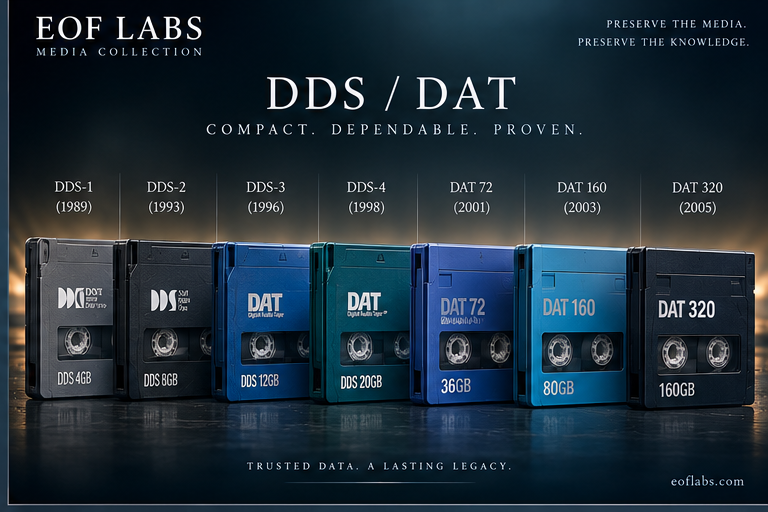
Audio technology became server backup
DAT began as a digital audio system. DDS reused the small two-reel cassette and rotating-head, helical-scan transport for computer data. Instead of a stationary head laying tracks along the tape, a rotating drum writes narrow diagonal tracks across it. That gave a physically tiny cartridge useful capacity for its era.
Through the 1990s and early 2000s DDS drives became routine beside engineering workstations, departmental Unix systems and small servers. A surviving cartridge may therefore be unusually intimate archival material: not a published archive, but the nightly working copy of a machine that disappeared years ago.
The familiar shell can be deceptive. Capacity, tape length, recording density and drive compatibility changed repeatedly, and the later DAT160/DAT320 branch changed the physical tape width as well. Recovery begins with the exact generation, not simply with the word “DAT” on the cartridge.
Two-reel cassette geometry — schematic, not to scale.
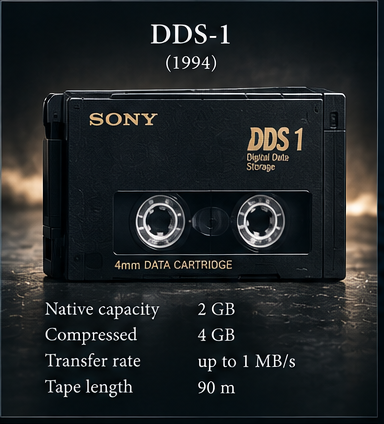
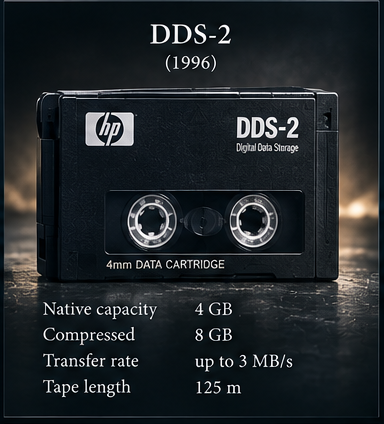
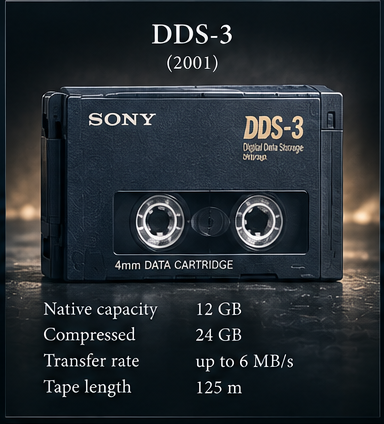
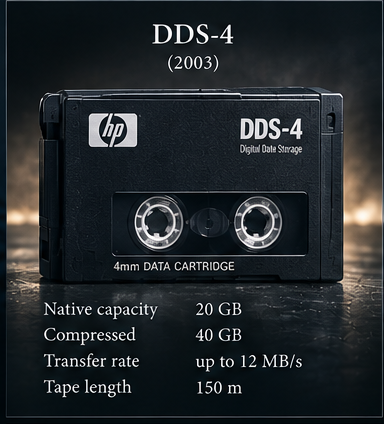
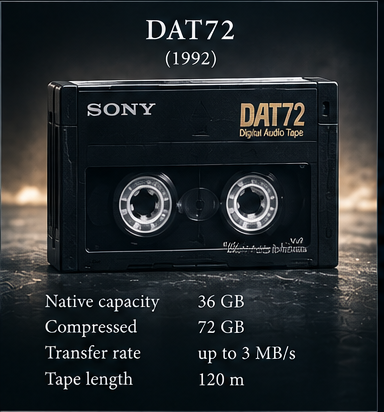
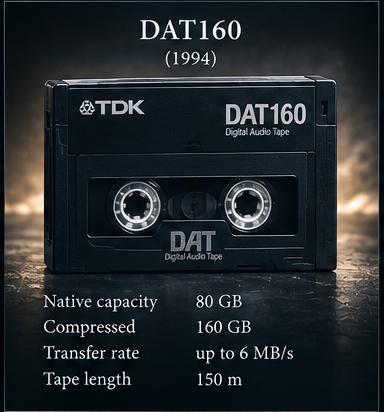
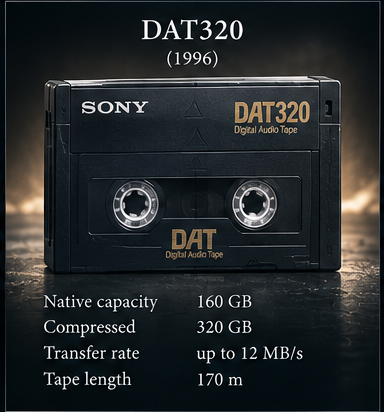
Seven major generations, not one interchangeable format
The marketing numbers commonly quote 2:1 compressed capacity. For recovery, native capacity is the more useful figure because compression depends on the data. The progression below uses native capacities and nominal tape lengths from HP/HPE and IBM documentation.
| Generation | Approx. introduction | Native capacity | Common marketed capacity | Nominal media | Recovery significance |
|---|---|---|---|---|---|
| DDS-1 | late 1980s | 2 GB on 90 m 1.3 GB on 60 m | 4 GB | 3.81 mm / 90 m | Oldest drives matter. Later DDS support is not universal; DDS-4 and later families break the simple “newer reads everything” assumption. |
| DDS-2 | 1993 | 4 GB | 8 GB | 3.81 mm / 120 m | Normally use a DDS-2/3/4-era transport known to support the medium. |
| DDS-3 | 1996 | 12 GB | 24 GB | 3.81 mm / 125 m | Readable by many DDS-3, DDS-4 and DAT72 drives, but not by DDS-2. |
| DDS-4 | 1999 | 20 GB | 40 GB | 3.81 mm / 150 m | Important bridge generation: DAT72 and DAT160 implementations commonly retain DDS-4 support. |
| DAT72 | 2003 | 36 GB | 72 GB | 3.81 mm / 170 m | DAT72 drives commonly support DDS-3, DDS-4 and DAT72, but not DDS-1/2. |
| DAT160 | 2007 | 80 GB | 160 GB | 8 mm / 150 m | Physical break: 8 mm media. HP documents read/write support for DDS-4, DAT72 and DAT160. |
| DAT320 | 2009–10 | 160 GB | 320 GB | 8 mm | Another compatibility contraction: DAT320 is backward-compatible with DAT160, not the earlier 4 mm generations. |
Backward compatibility has cliffs
Early DDS generations often behave like a ladder: a DDS-3 drive can use DDS-3 and earlier media that it was designed to accept. But the ladder does not continue indefinitely. HP's technical reference notes that DDS-4 cannot use all DDS-1 media, and DAT72 supports neither DDS-1 nor DDS-2. IBM's matrices similarly show DAT72 with DDS-3/DDS-4/DAT72, DAT160 with DDS-4/DAT72/DAT160, and DAT320 with DAT160/DAT320.
DDS-4: R/W
DAT72: R/W
DDS-1/2: do not assume support
DAT72: R/W
DAT160: R/W
DAT320: no
DAT320: R/W
DDS-4 / DAT72: not supported in HP's DAT320 matrix
Vendor and drive-model documentation wins over a generic family rule. OEM mechanisms, firmware and host platforms can narrow support further. An unsupported cartridge may simply be ejected, which is very different from a damaged cartridge that loads but cannot be read.
Read the cartridge before loading it
Record the manufacturer, generation marking, part number, nominal capacity, tape length where printed, barcode/volume label and any handwritten identifiers. Photograph both faces and the spine. DDS-1 through DAT72 are based on 4 mm tape; DAT160 and DAT320 use the later 8 mm media family. HP deliberately used a red DAT160 shell to make mixed archives easier to distinguish.
Do not use the printed “compressed” number as evidence that the tape contains that much data. A “24 GB” DDS-3 cartridge is 12 GB native; “72 GB” DAT72 is 36 GB native; “160 GB” DAT160 is 80 GB native; and “320 GB” DAT320 is 160 GB native.
Backups from the small-server era
A physically readable DDS tape does not necessarily expose files directly. It may hold a raw tar, cpio or Unix dump stream, but commercial backup packages frequently wrote their own framing, catalogues and multi-volume structures. A tape may be volume 3 of 8, or may depend on a catalogue once stored on the server itself.
Typical material includes user home directories, source trees, CAD/CAM work, accounting and ERP data, mail stores, databases, configuration files and complete server backups. Filemarks, block boundaries and tape position can therefore be evidence, not nuisance metadata to discard.
Acquire the tape before interpreting the backup
Identify. Determine the exact generation and select a drive whose documentation explicitly supports it. Avoid relying on connector type or cartridge shape as proof of compatibility.
Stabilise the hardware chain. Establish the drive interface — often SCSI on older units, later USB or SAS — and verify termination, cabling, host adapter and OS visibility before blaming the medium.
Inspect and clean appropriately. Do not repeatedly load a suspect cartridge into multiple drives. A dirty or marginal transport can turn a recoverable tape into a harder problem.
Read without writing. Respect the cartridge write-protect mechanism. Acquisition should preserve the sequential stream and filemarks and should not require writing anything back to the source.
Do not guess the logical format too early. Fixed versus variable block behaviour, filemarks and multiple tape files matter. First establish what the drive can read consistently; then analyse the resulting stream.
Interpret separately. Once a stable acquisition exists, identify tar/cpio/dump or the commercial backup format and reconstruct volume sets and catalogues without repeatedly exercising the original cartridge.
The server outgrew the cartridge
DDS succeeded because the drives and cartridges were compact and relatively inexpensive, but server datasets expanded rapidly. Disk-based backup became cheaper and faster, while LTO provided a higher-capacity professional roadmap. DAT160 and DAT320 extended the family, but also narrowed backward compatibility. The installed base nevertheless left large numbers of DDS/DAT cartridges in offices, laboratories and machine rooms — often beside no surviving compatible drive.
Technical references used for this page
Capacity, media dimensions and generation data are checked against HP/HPE DAT/DDS media QuickSpecs and the HP DDS Drives Technical Reference Manual. Compatibility is cross-checked against HPE DAT160/DAT320 documentation and IBM DAT cartridge/tape-unit matrices. Sony and HP's DAT320 announcement documents the final generation's 160 GB native / 320 GB compressed target and DAT160 backward compatibility.
IBM — DAT cartridge and tape unit compatibility ↗
HPE — DAT320 media and compatibility ↗
HPE — DAT160 specifications and compatibility ↗