
Iomega Zip
100, 250 and 750 MB removable magnetic disks across SCSI, parallel, IDE/ATAPI and USB transports.
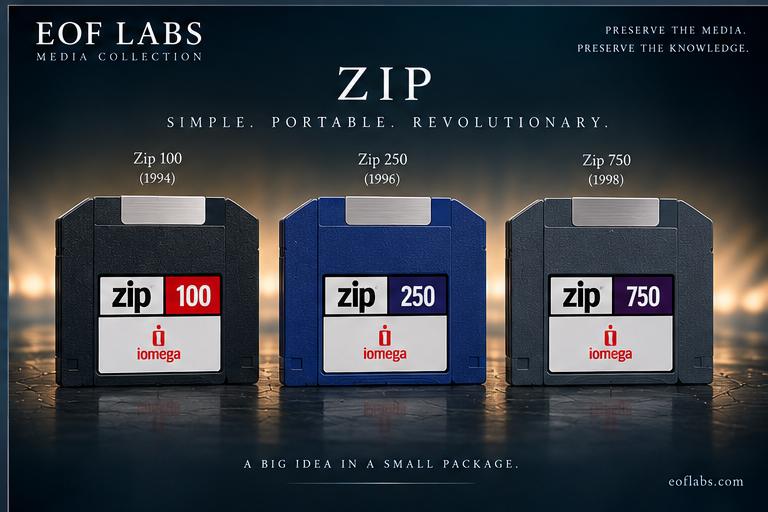
The floppy's much larger companion
Zip arrived when ordinary floppy disks were too small for desktop publishing, graphics and increasingly large office files. The original 100 MB cartridge became ubiquitous in studios, schools and home offices. Zip 250 and 750 increased capacity while preserving some backward read paths, but not universal write interchange.
The 750 drive is the useful late reader — with an important restriction
| Drive | 100 MB | 250 MB | 750 MB |
|---|---|---|---|
| Zip 100 | R/W | No | No |
| Zip 250 | R/W; Iomega notes slower writing than in a Zip 100 | R/W | No |
| Zip 750 | Read only | R/W | R/W |
Archived Iomega documentation for Zip 750 explicitly states that 750 MB cartridges cannot be used in Zip 100/250 drives and that a Zip 750 drive can read a 100 MB disk but cannot write it. Zip 250 documentation records read/write use of 100 MB media with slower write performance.
Capacity does not identify the host path
Zip appeared as external SCSI, parallel-port and USB drives and internal IDE/ATAPI variants, with platform-specific bundles and Plus models. SCSI and USB units can be straightforward block devices on suitable systems; parallel-port models add a bridge/controller layer and may require older host software. Record both capacity and interface/model in the hardware catalogue.
Image the device, not merely the visible files
PC cartridges commonly contain FAT and either partitioned or superfloppy-style layouts. Macintosh cartridges may contain HFS/HFS+ and Apple partitioning. Zip also served Unix/workstation systems as generic removable block storage. A whole-device image preserves partition maps, boot sectors, deleted directory entries and filesystem metadata that file copying discards.
“Click of death” is a symptom, not a diagnosis
Repeated seeking/clicking can reflect transport faults, damaged media, servo/tracking problems or failure to locate expected structures. Stop repeated cycling of unique media. First prove the drive with expendable known-good cartridges; where practical compare the archival cartridge in another verified compatible transport before assigning the failure to the medium.
Transport → read-only block device → image → filesystem
Verify the drive, prevent writes where the host path allows it, identify the block device without automatic repair, and acquire a whole-device image. Healthy cartridges can be copied directly. Marginal block-addressable media can be approached with retry-aware imaging and a persistent map/log so successful regions are not repeatedly stressed. Perform filesystem repair only on copies.
Iomega documentation
The original Iomega support infrastructure is no longer a dependable live source, so these are archival mirrors of manufacturer manuals.
Iomega Zip 750 MB user manual — archived manufacturer documentation ↗
Iomega Zip 250 documentation — archived manufacturer documentation ↗